

Mastering Actuation
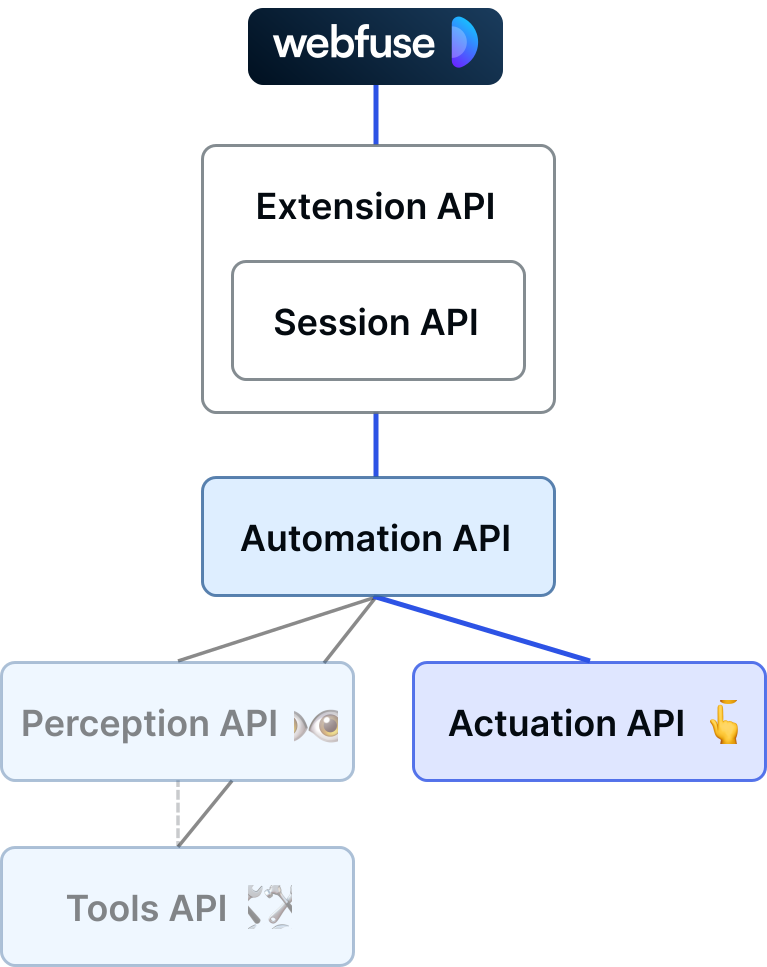
Metaphorically, Webfuse gives universal AI agents for the web eyes 👁️ and hands 👆️.
By hands, we speak of tools that Webfuse provides to act in a web page just like a human would do: click here, type there, move the mouse around, etc.
Actuation tools of the Automation API are available from the sub namespace automation.act.
Act on the Web Like a Human
Section titled “Act on the Web Like a Human”All the actuation tools on the Automation API closely emulate human input events. That means, automation.act.click() does not simply invoke the element click method, but actually dispatches all the associated events, triggering, i.a., hover effects. This is helpful for two reasons: 1. Agent actions look natural and are traceable by the supervising user. And, 2. Agentic web browsing appears to be human browsing to the respective web application.
Example: Click and type
Section titled “Example: Click and type”await browser.webfuseSession .automation .act .click('button#submit');
await browser.webfuseSession .automation .act .type('input#email', 'john.doe@example.org');Act on the Web Without Walls
Section titled “Act on the Web Without Walls”With Webfuse it is possible to act beyond shadow root and iframe boundaries:
DOM Snapshot
<div> <custom-element> <shadow-root> <strong>Shadow</strong> <p> <slot></slot> </p> </shadow-root> <b>Slotted</b> </custom-element></div>div > custom-element shadow-root p
DOM Snapshot
<body> <h1>Parent</h1> <iframe src="/child"> <html> <h1>Child</h1> </html> </iframe></body>div > iframe body form#login
All actuation methods on the Automation API (click(), type(), …) do work with cross-shadow and -frame selectors. Such access to descendant frames is Webfuse-exclusive behavior.
For clean scoping, frame boundaries are not crossed implicitly (e.g., div iframe body ≠ div body).
All actuation methods on the Automation API (click(), type(), …) do work with cross-shadow selectors. In order to cross a shadow-root, it must explicitly be contained in the respective CSS selector (shadow-root). This syntax is not valid according to the CSS selector specification. Passing a cross-shadow (pseudo) selector to, e.g., document.querySelector() would fail.
Without an explicit shadow root pseudo selector, descendants refer to slotted elements.
Work with Webfuse IDs
Section titled “Work with Webfuse IDs”DOM snapshot can optionally, for each element, contain an HTML pseudo attribute WF-ID that relates with a per-Tab unique ID. This Webfuse ID can be used to target elements with actuation calls:
<body WF-ID="2"> <h1 WF-ID="3">Parent</h1> <iframe src="/child" WF-ID="1"> <body WF-ID="1-1"> <custom-element WF-ID="1-2"> <shadow-root> <strong WF-ID="1-3">Shadow</strong> <p WF-ID="1-4"> <slot></slot> </p> </shadow-root> <b WF-ID="1-5">Slotted</b> </custom-element> </body> </iframe></body>browser.webfuseSession .automation .act .click('1-3') // 1st iframe > 3rd element (<strong> in shadow)